
 This is basically the potential scenario she's looking at, which never really crossed my mind before since I'm not one to use two USB drives at one time...but some people do, so you can read a bit more about the article HERE.
Anyway that got me thinking and I figured a simple solution would be to just invest in a USB hub to carry around...most of them are below $10 so their pretty decent in price and offer u additional 3 ports (considering a 4-port usb plugged into one port will well...give u 3 extra...duh).
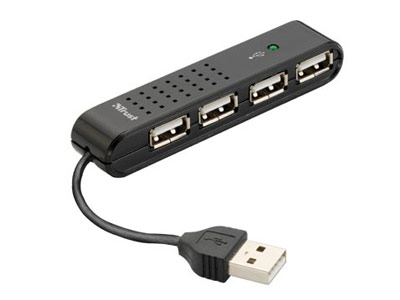 But of course, if you're not the practical sort, and wouldn't mind getting a little crazy with your USB ports, here's some to think about. =)


 But of course, if you're not so much concerned about USB hubs and want a funky USB thumbdrive instead, this looks pretty awesome too =)

4 comments:
The usb ports are indeed cramp but it doesn't affect me that much cos I don't leave thumbdrive connected all the time for work. Just plug in, transfer files and go. It is a small inconvenience for the streamline design. Carrying a usb hub is going to be more inconvenient.
Somehow I think Melvin will like that headless teddy thumbdrive. Just need some additional blood splatter.
lol! Ya agree on Melvin's.
Her main problem is she's got a wireless mouse with the thumbdrive transmitor, so put that in alr, her thumbdrive good game. lol
Any blood is good blood.
on the note of the ports. yes. this is bullshit. I dun use more than one at any given time. But realized it when I had to plug in 2 thumbdrives to transfer data.
Streamline design can still be achieved with the port being another 3-5mm apart. Or simply placing the ethernet kacj in between the 2 usb ports as the ethernet jack does not eat out towards the sides. (if they wanna maintain the minimal gap in between) I honestly think the designer screwed up on this one.
Ya man, hopefully they'll rectify the problem. Not that big a problem, but obviously something that could have been improved and prolly wouldn't cost much doing so
Post a Comment